
Postcards & Notices
The envelope at the top left holds postcards from the city. Notices at the bottom right tell you what's happening right now.
The city keeps in touch in two calm, quiet ways: postcards you can read when you like, and short notices that come and go.
Postcards
Click the envelope at the top left of the screen. A badge shows how many are new.
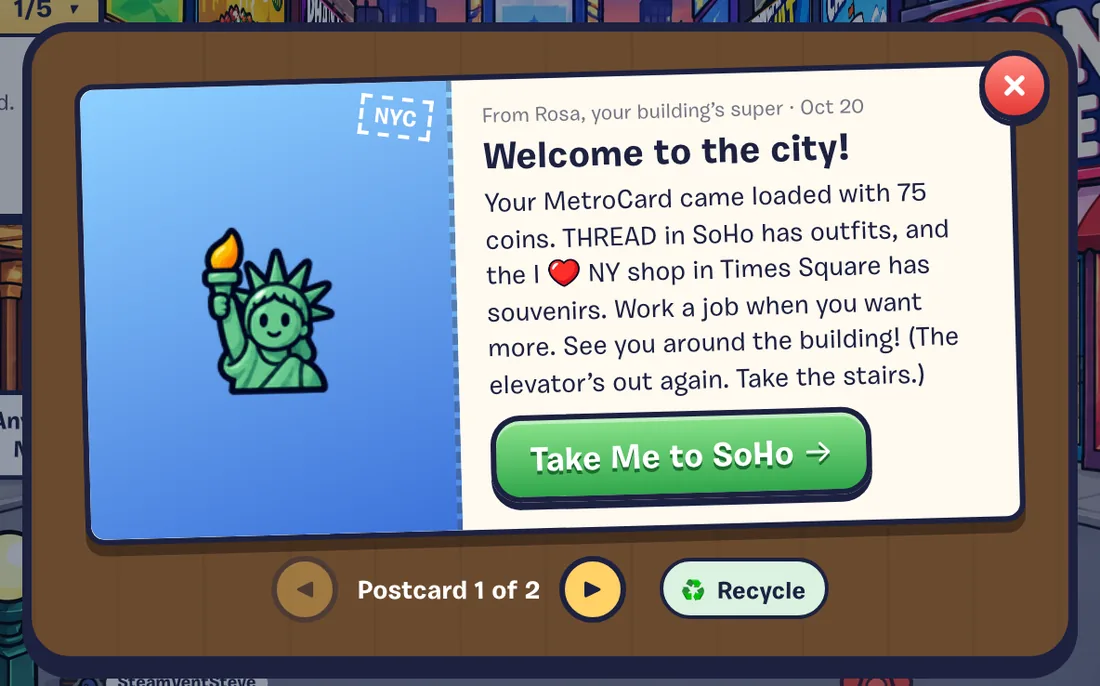
- Use the arrows to flip through them (“Postcard 1 of 3”).
- Recycle throws one away.
- Your 30 newest postcards are kept.
| Postcard | From | When |
|---|---|---|
| Welcome to the City! | Rosa | After your first tour. Has a button to take you to SoHo. |
| Your First Paycheck! | The job’s crew | After your first paid shift. |
| Dance Jam Soon! | DJ Cadenza | Now and then, when a Dance Jam is about to start. Has a button to go to Times Square. |
No postcards yet? “The city writes when something’s happening: invites, paychecks, news from your building (mostly about the elevator).”
Notices
Things happening right now show up as small notices at the bottom right, one at a time:
- A friend request (with Accept and Later)
- A friend coming online, texting you, or throwing a party (with a Go button)
- A guestbook note or a like on your apartment
- Your neighborhood team’s weekly result
Notices about things people do to you chime. Ambient ones, like friends coming online, are silent. To quiet the ambient ones, click the bell in Friends & Leaderboards (F).