
Leaderboards
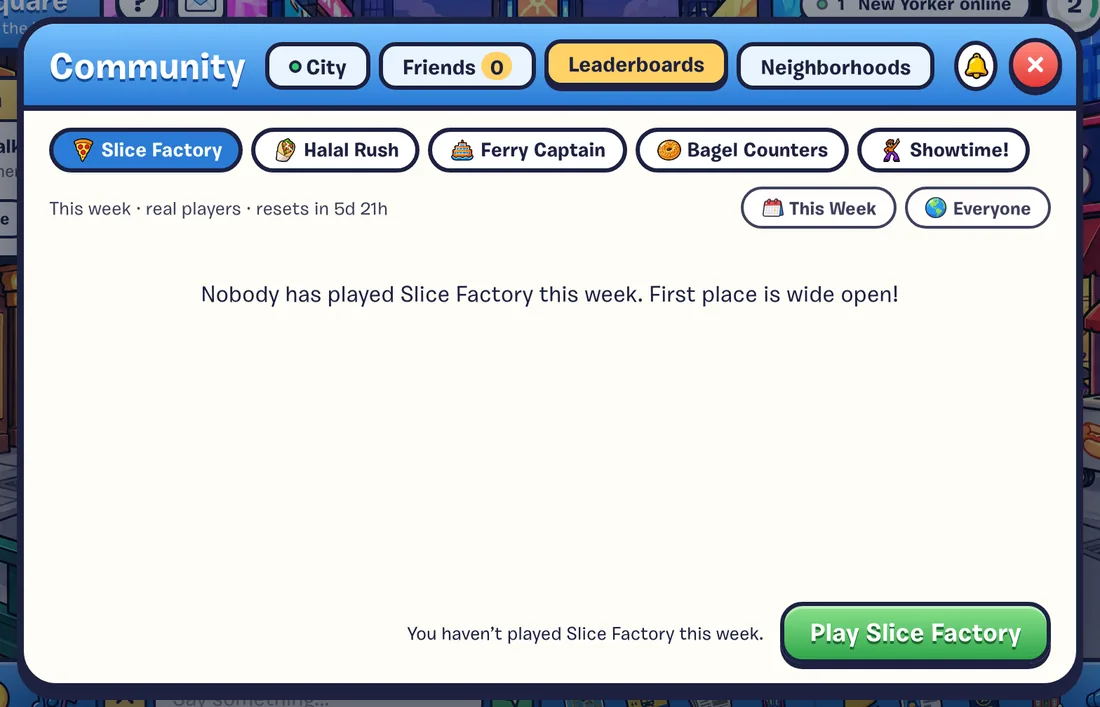
Every job has a leaderboard. See this week's best, the all-time greats, or just your friends, and find out who to beat next.
On This Page
Every job has its own leaderboard. Your best shift is your score, and every week is a fresh start.
Where to Find Them
- After every shift, on the results card, with This Week, All Time and Friends tabs.
- Any time, in Friends & Leaderboards (F) on the Leaderboards tab. Pick a job, then This Week or All Time, and Everyone or Friends.
- In Times Square, where the billboards show each week’s #1 players.
What Counts
| Job | Ranked by |
|---|---|
| Slice Factory | Pizzas made |
| Halal Rush | Orders served |
| Bagel Counters | Items delivered |
| Showtime! | Points |
| Ferry Captain | Coins scooped |
- Your best single shift counts, not your total.
- This Week resets every Monday. All Time never does.
- Friends shows you and your friends only.
- The board shows the top 25 (top 50 for Friends). If you’re not on it, your own row is added at the bottom, with who to beat next: “You’re #12 of 80 · beat Ana_NYC’s 22 to climb.”
- New Best! shows on your results card whenever you beat your own record.
Playing Offline
When you play offline, you’re ranked against the city locals instead, and you can challenge a local friend to beat your best. They’ll try within a couple of minutes. Win and you get 10 coins. Lose and you get a Rematch button.